
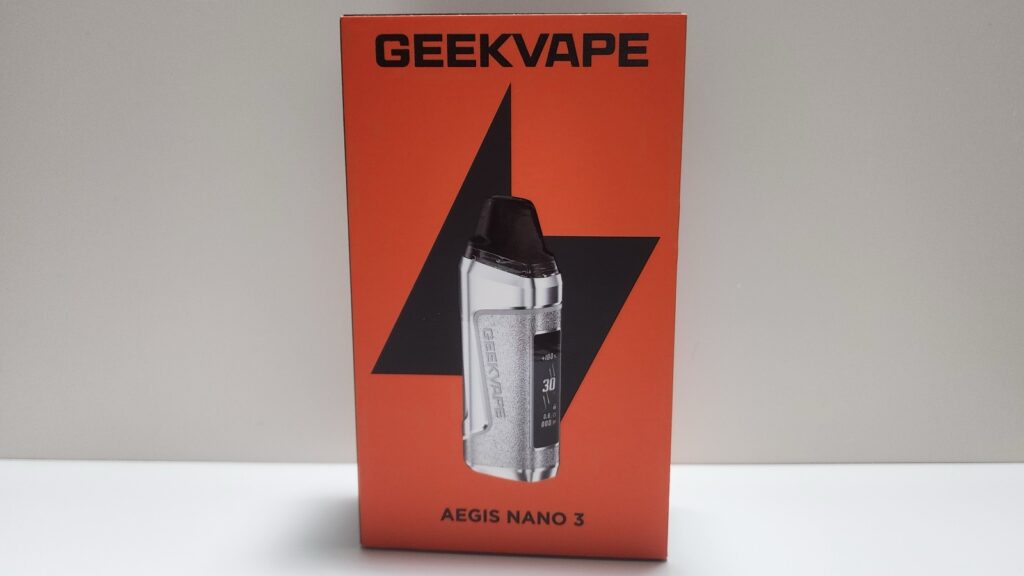
The GeekVape Aegis Nano 3 was sent to me for review from Sourcemore. It’s a 30-watt pod system with a 1600mAh battery, a 0.99-inch color screen, and the same N cartridges as the Aegis Nano 2. You can fire it with the button or just by drawing on it.

Pros & Cons
Pros
- Clean, clear flavor and satisfying hits
- Small, light, and comfortable to hold
- Long battery life from the 1600mAh battery
- Both 0.6Ω and 1.2Ω pods included
- No leaking or gurgling in my testing
- Simple one-button menu that sets the wattage automatically for each pod
- Button lock still lets you vape on auto-draw
Cons
- The airflow slider doesn’t change the draw. It’s wide open at every setting.
- No tight, cigarette-style MTL draw
- Auto-draw needs a strong pull to fire consistently
- Looks a little cheap for an Aegis device
- No IP rating, unlike the IP67 Nano 2
- No USB-C cable in the box
Specs
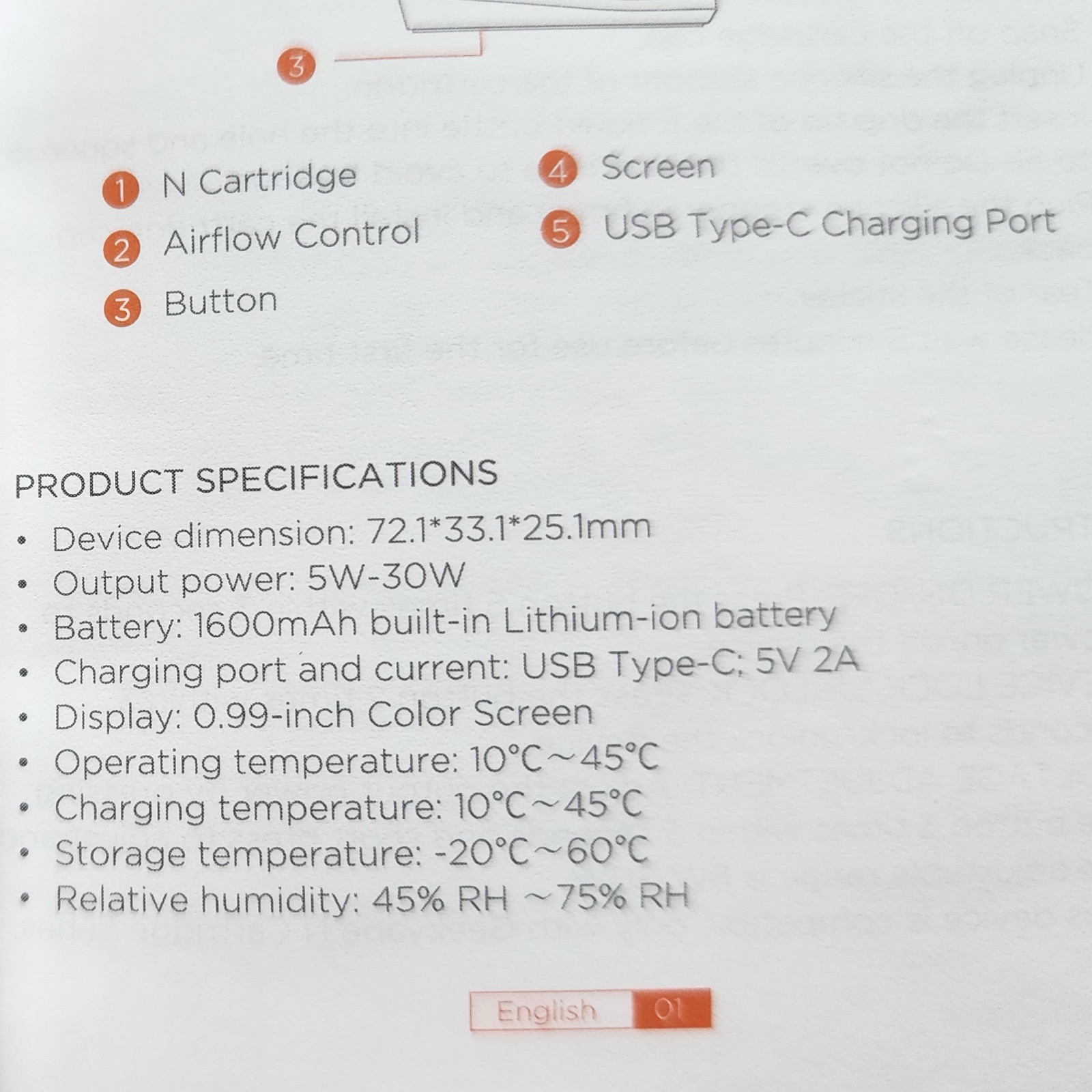
- Battery: 1600mAh built-in (18450 cell, not replaceable)
- Output: 5–30W
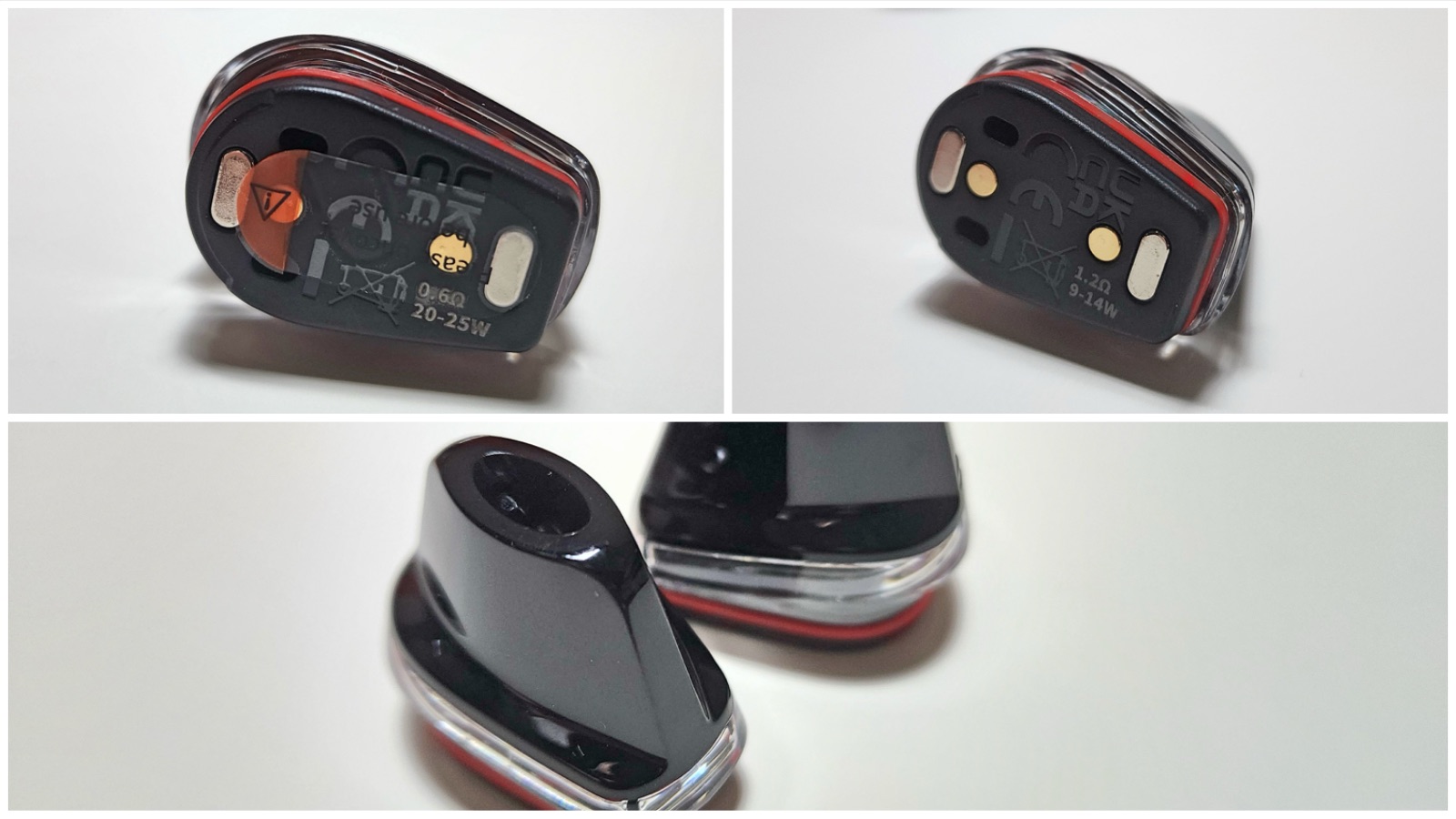
- Pods: GeekVape N Cartridge, 2mL, 0.6Ω (20–25W) and 1.2Ω (9–14W)
- Screen: 0.99-inch color display
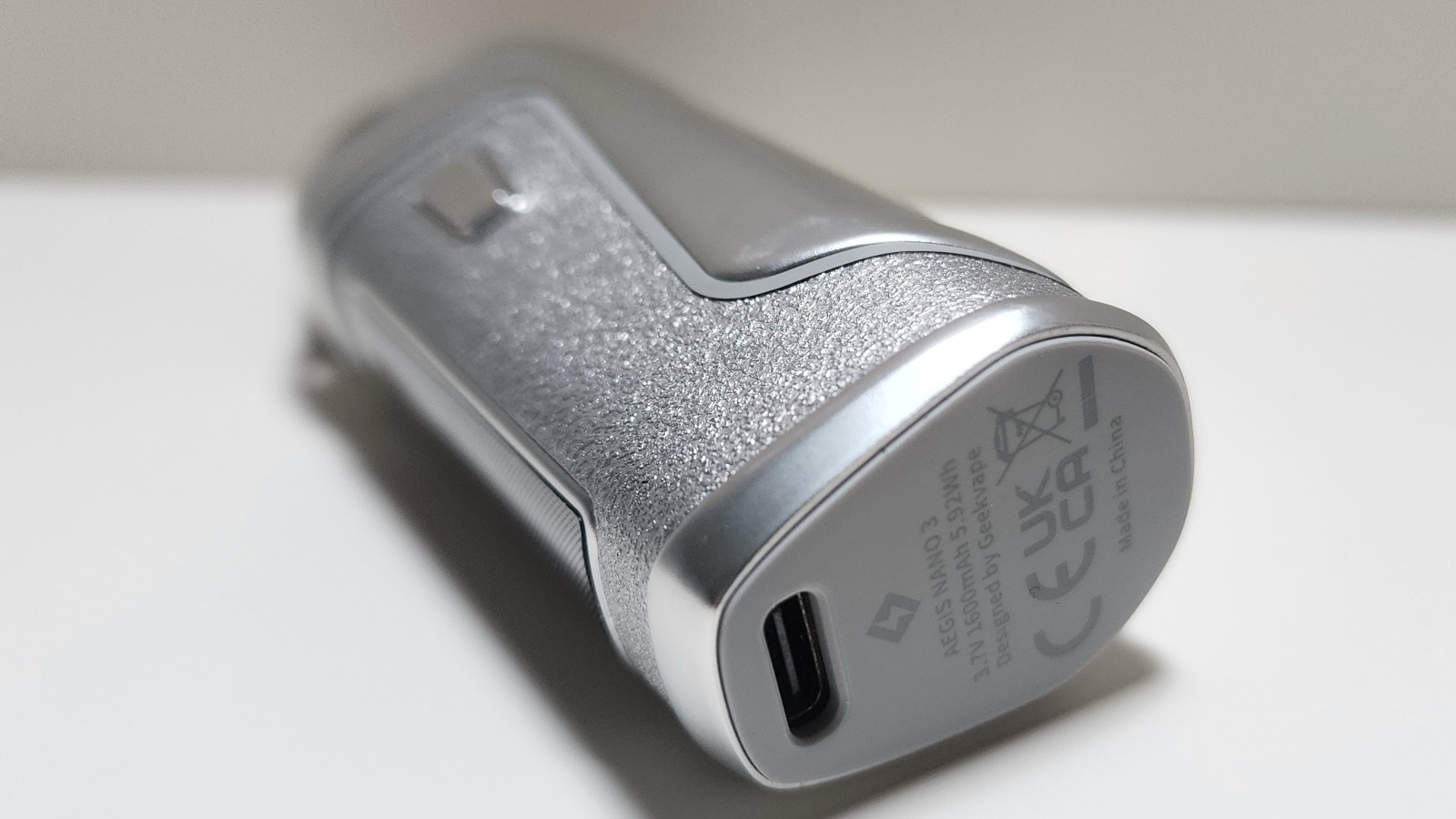
- Charging: USB-C, 5V/2A
- Size: 72.1 × 33.1 × 25.1mm
- Weight: 99.8g
- Body: zinc alloy
- Price: $19.19 (get it here and use code AN3K for a discount)
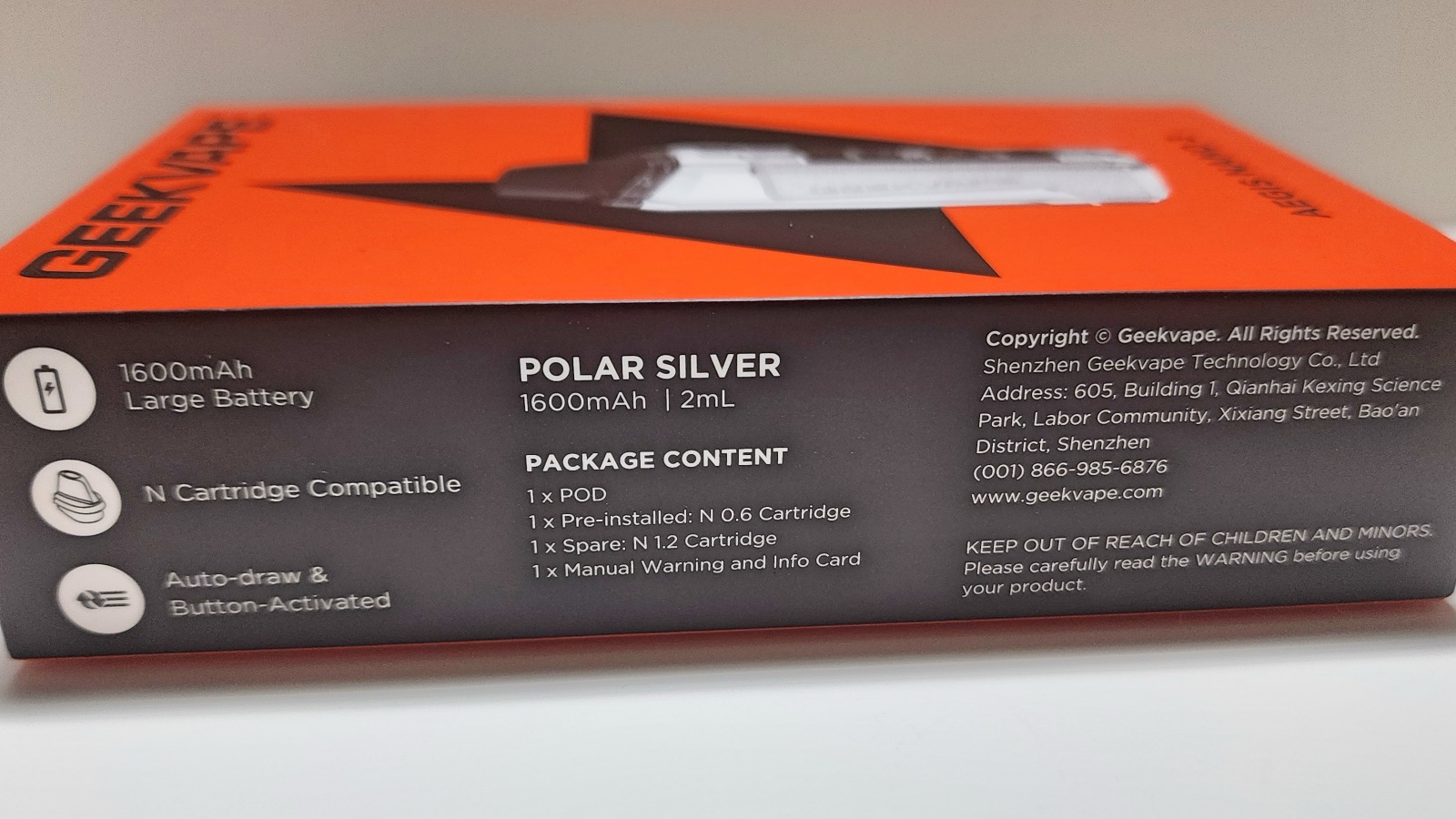
In the Box
- Aegis Nano 3 device
- N 0.6Ω cartridge (pre-installed)
- N 1.2Ω cartridge (spare)
- Manual, warning and info card
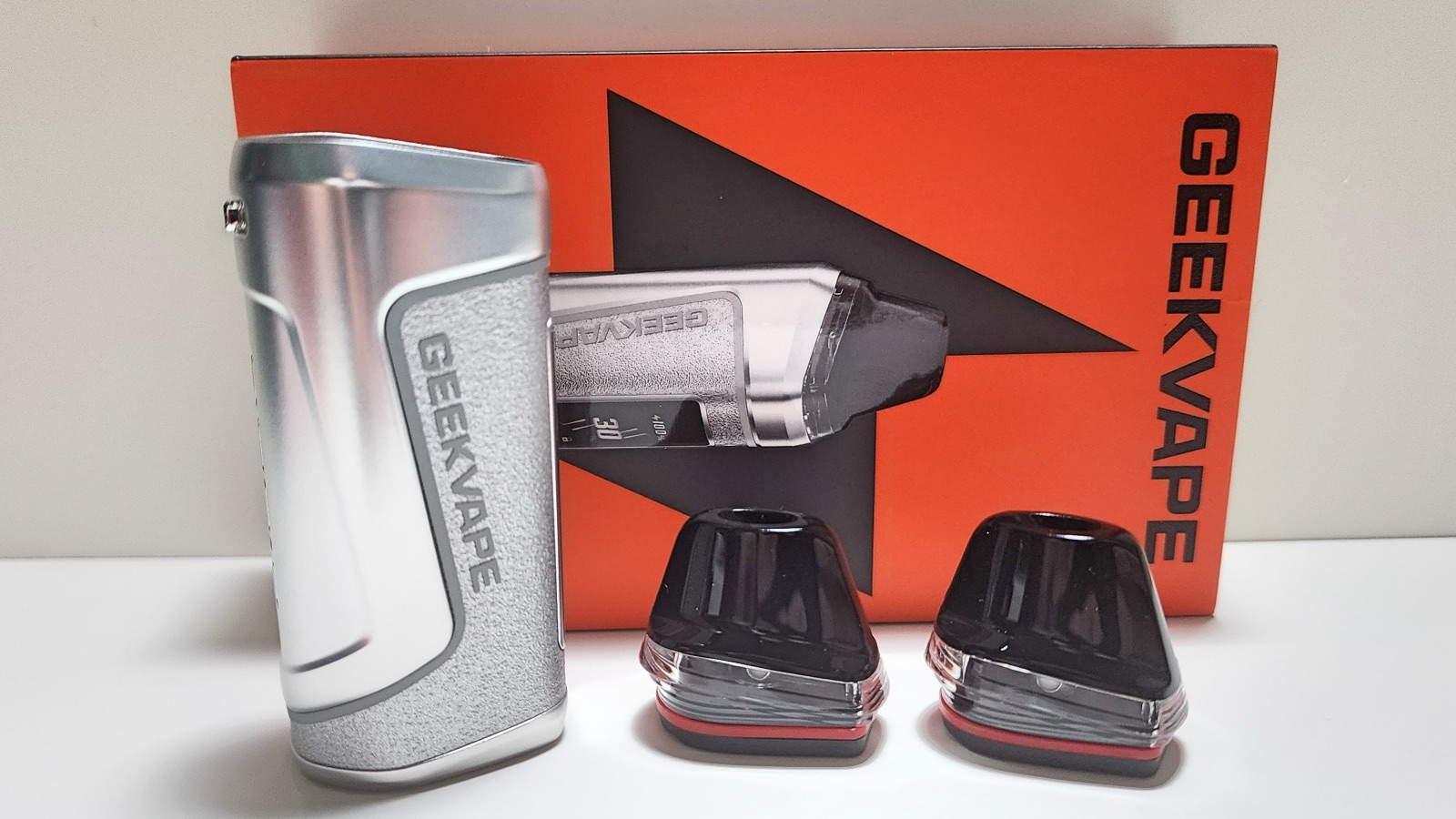
There’s no USB-C cable, so you’ll need your own. It’s nice that you get both pods, though, so you can try each one without buying anything extra.
Design
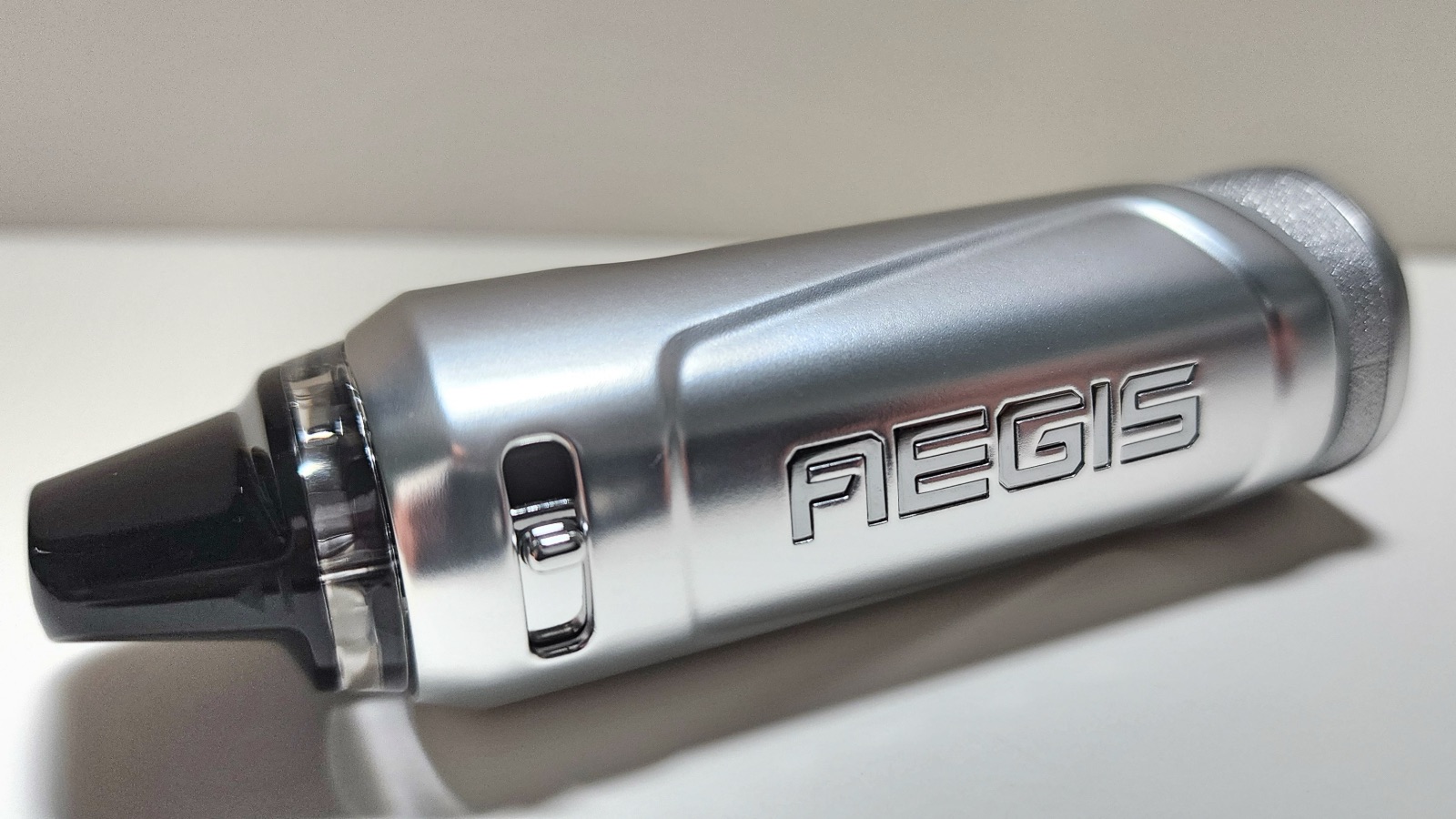
The design is just okay. It looks fine, but I expected more from something in the Aegis line. It even looks a little cheap. The grip is soft, rubbery faux leather and comfortable, but it has a low-quality metallic look. GeekVape says the body is zinc alloy. It just doesn’t have the classy, rugged look of a typical Aegis device.
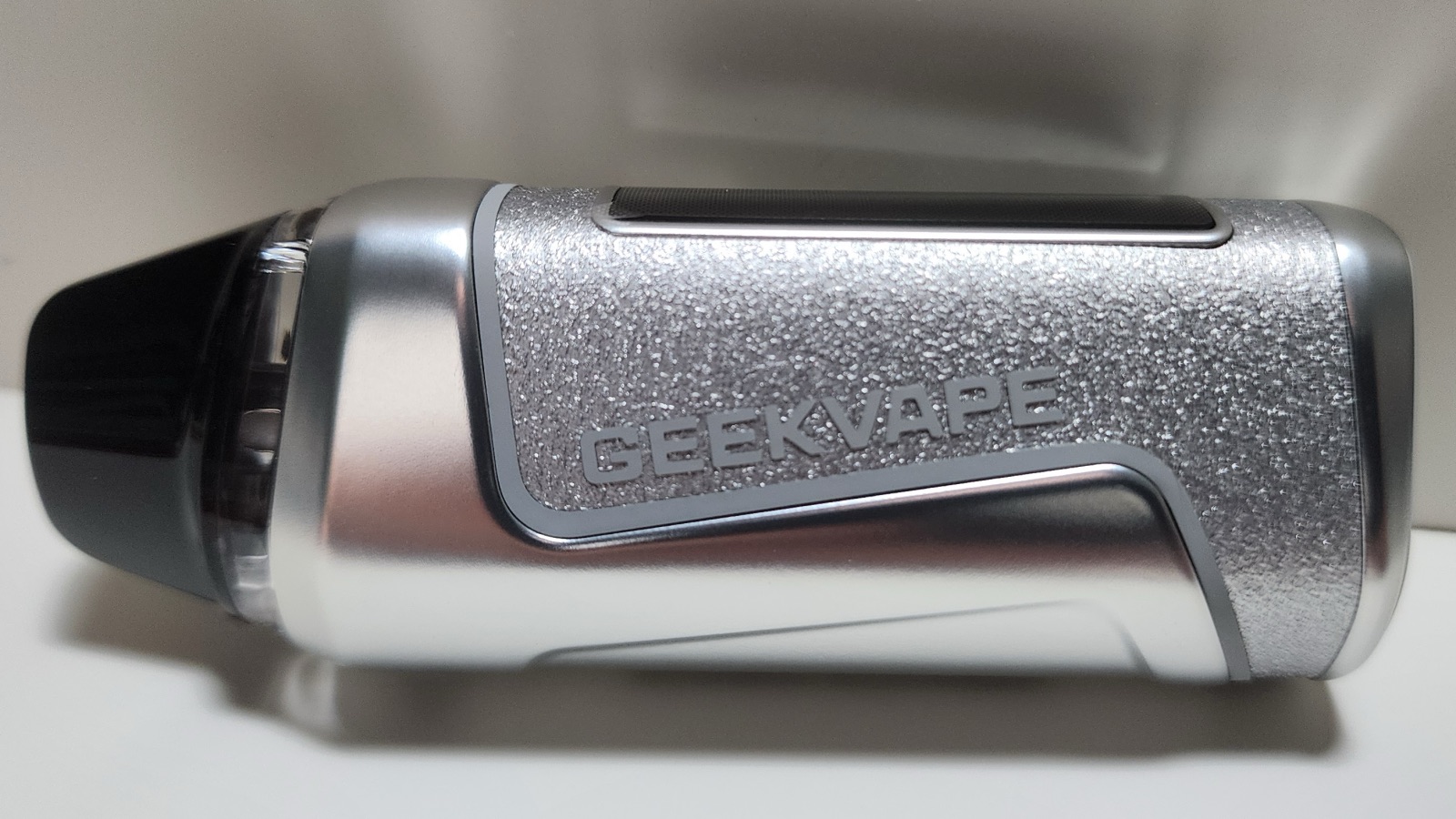
I love the size. It’s small and light, and it’s comfortable to hold and use without being so small that it’s awkward. I got the Polar Silver version, but it also comes in:
- Midnight Dark
- Jungle Green
- Arctic Blue
- Sunset Red
- Purple Bloom
The Nano 2 was IP67-rated for water, dust, and shock. GeekVape doesn’t list an IP rating for the Nano 3 on its site or in the manual. GeekVape says it’s built to handle everyday drops, but I wouldn’t treat it as water-resistant.
Pods
The Nano 3 uses GeekVape’s N cartridges, the same pods as the Aegis Nano 2, so Nano 2 owners can carry their spare pods over. The pods hold 2mL, snap in magnetically, and have a window so you can check your juice level. GeekVape also lists a 0.4Ω N cartridge as coming soon, which you’ll need to use the full 30 watts.
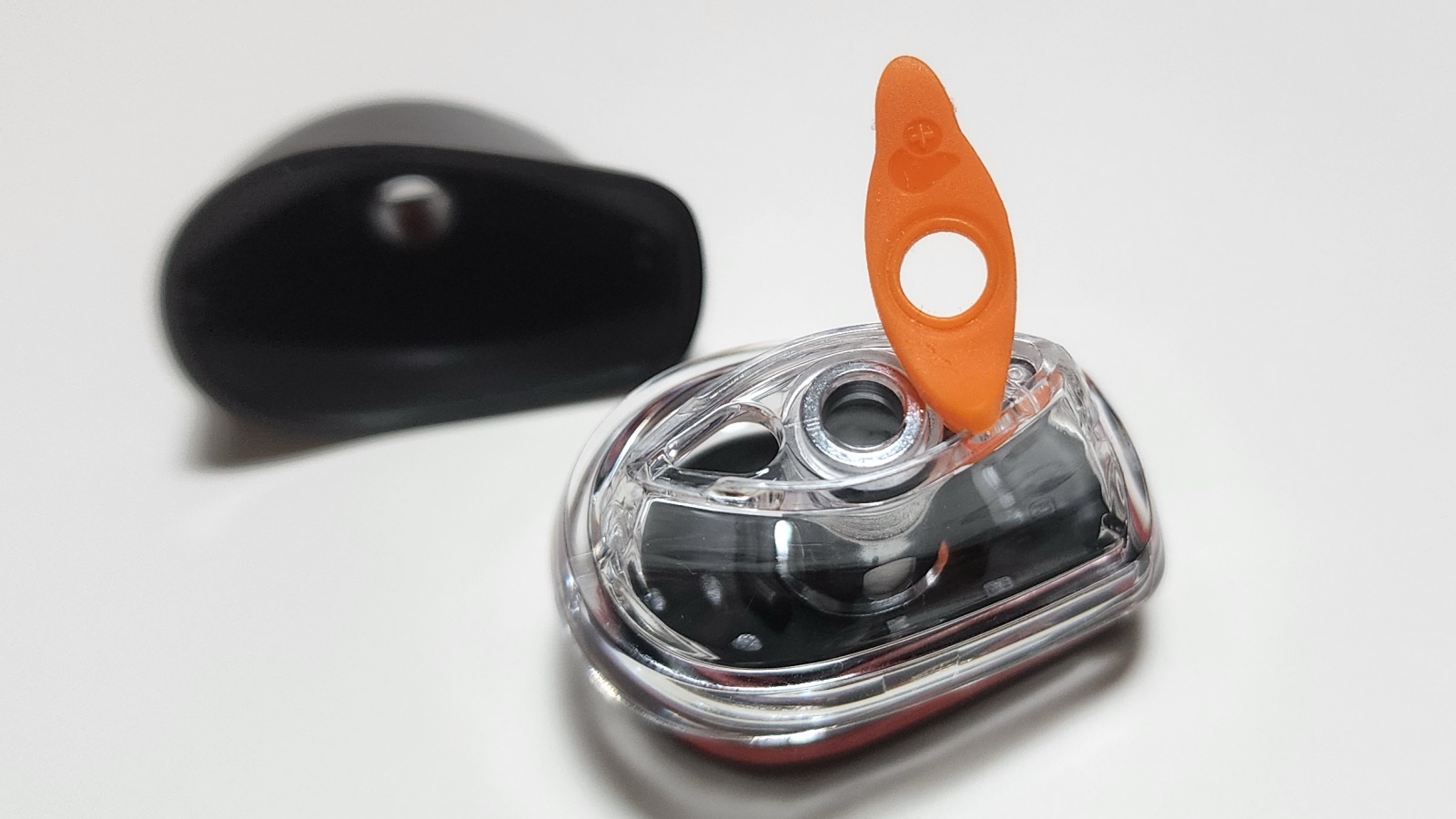
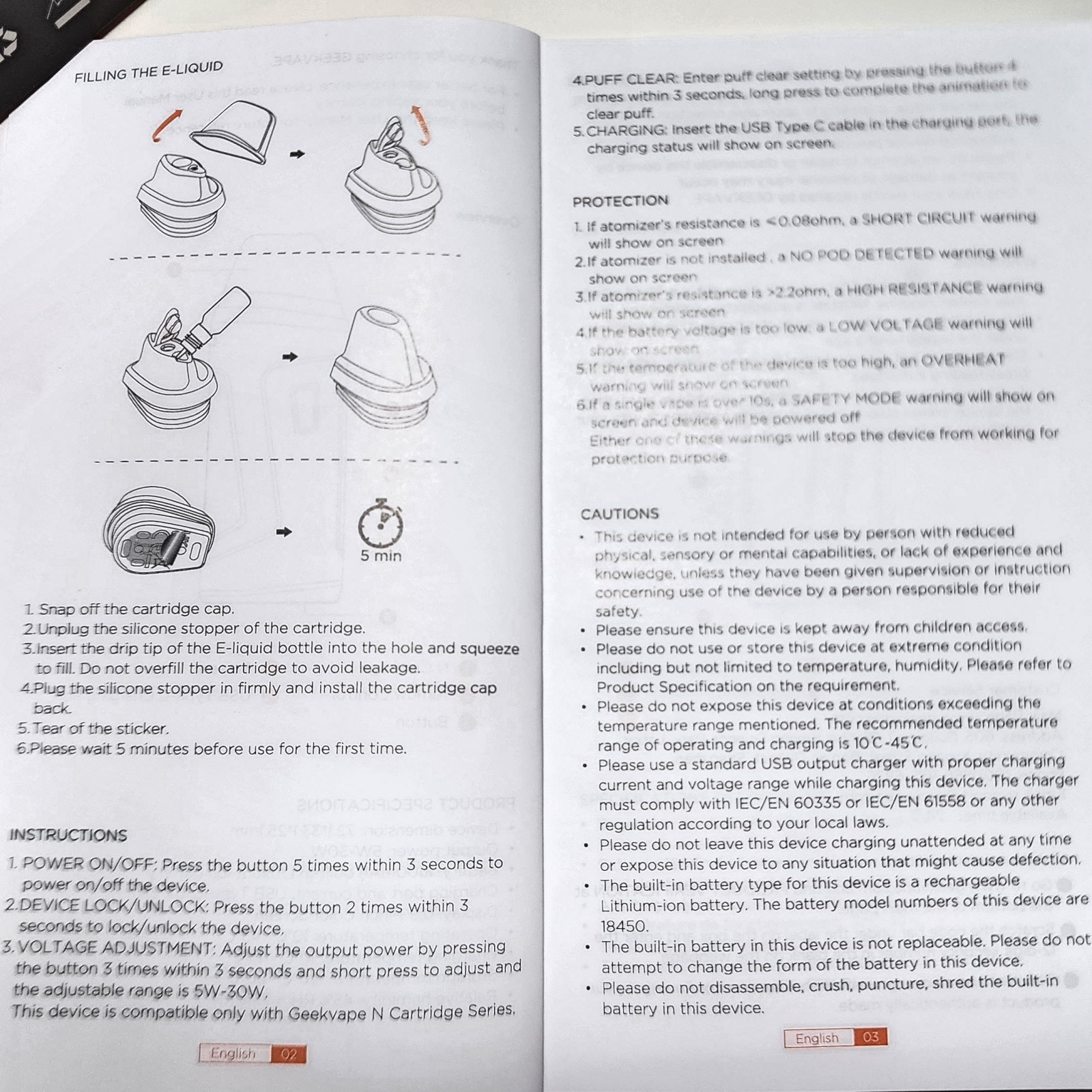
To fill a pod, snap off the cap, pull the silicone stopper out of the fill hole, and fill. Don’t overfill it, because GeekVape warns that it can cause leaks. Then push the stopper back in firmly and snap the cap back on.
Two things to know before your first hit:
- Peel off the clear sticker on the bottom of the pod. The pod won’t fire with it on.
- Let a new pod sit for about five minutes after filling so the cotton soaks through.
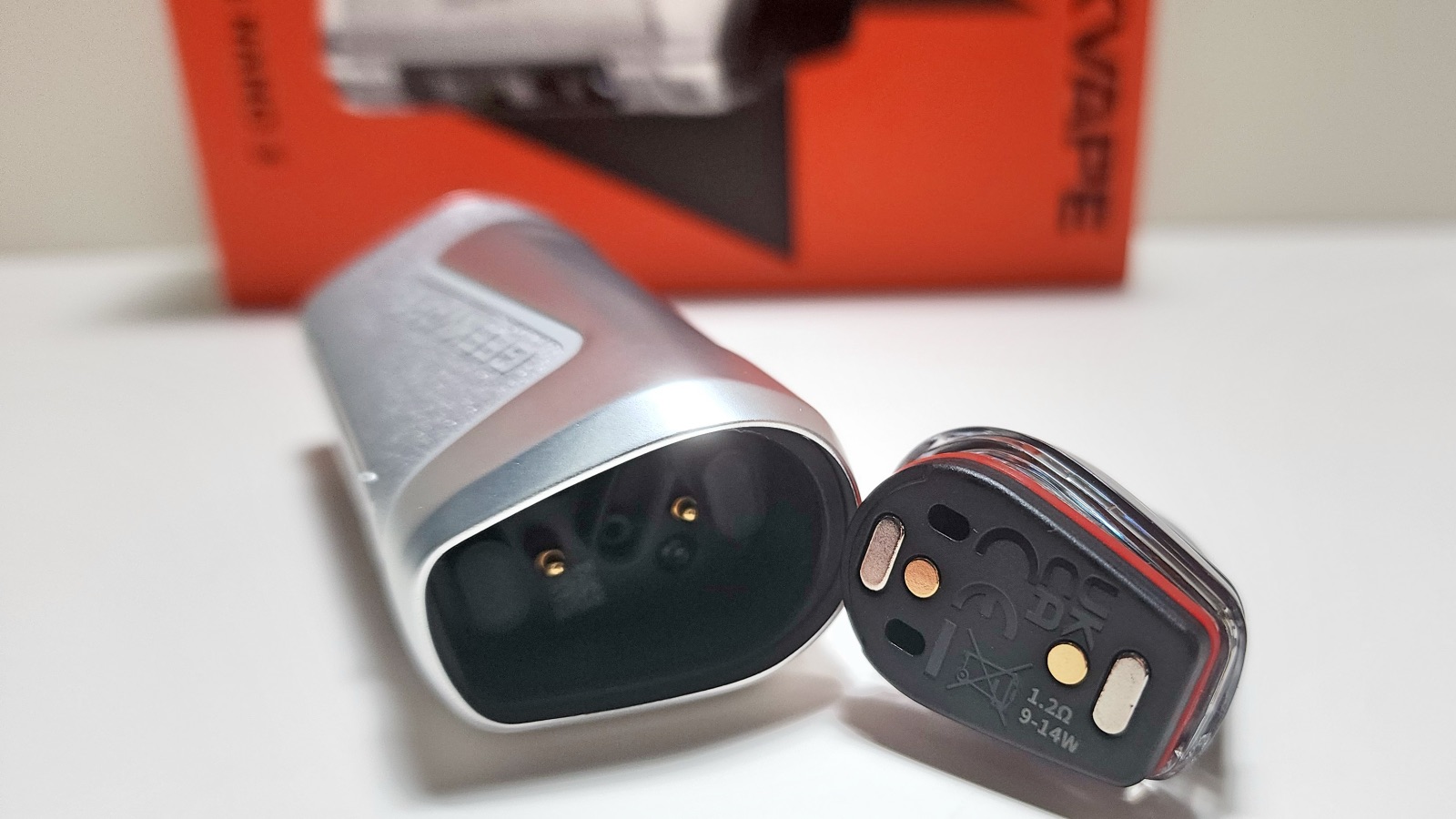
I haven’t had any leaking or gurgling with regular use. Most pod devices (not just GeekVape) start to leak eventually after a few days or weeks, so I wouldn’t be surprised if these did too, but so far there have been no problems at all.
How to Use the Aegis Nano 3
Settings are made using a single side fire button:
- Power on/off: 5 clicks
- Adjust wattage: 3 clicks, then short presses to change it
- Clear the puff counter: 4 clicks, then a long press until the animation finishes
- Lock/unlock: 2 clicks
The screen shows your battery percentage, wattage, coil resistance, and a puff counter.
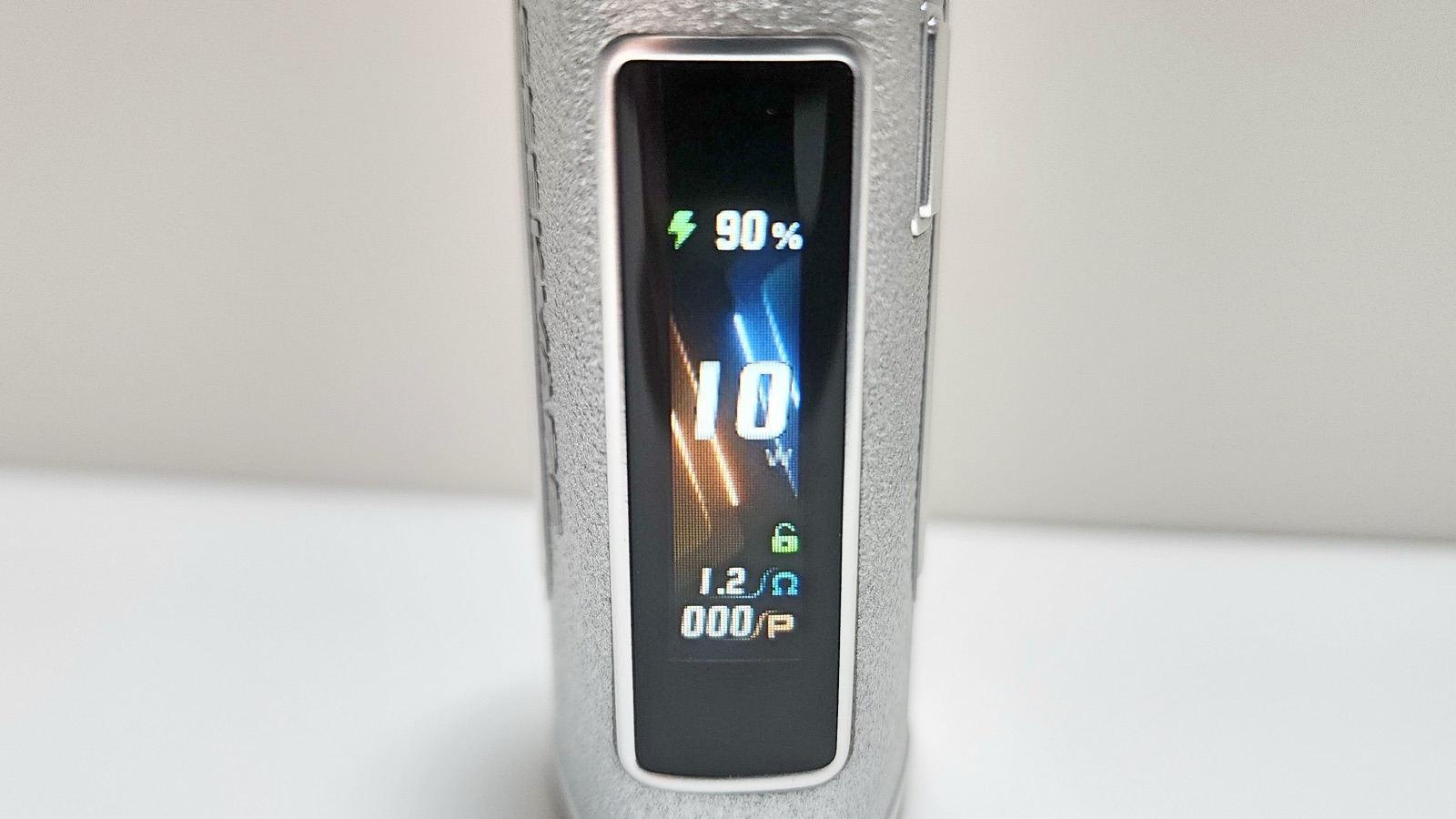
Two clicks turn on the device lock, but it only locks the button. I tested it, and you can still take a hit by drawing on it, but pressing the button does nothing. That might sound like a half-lock, but I think it makes sense. A button getting pressed in your pocket is far more likely to cause an accidental fire than random suction is. It also keeps you from changing your settings by accident.
Airflow
The Nano 3 has an airflow slider on the side, but it doesn’t seem to do anything. I tried every position, and it feels like a wide-open draw no matter where it’s set. I’m not the only one who’s noticed this either. I’ve seen other reviews claim the same.
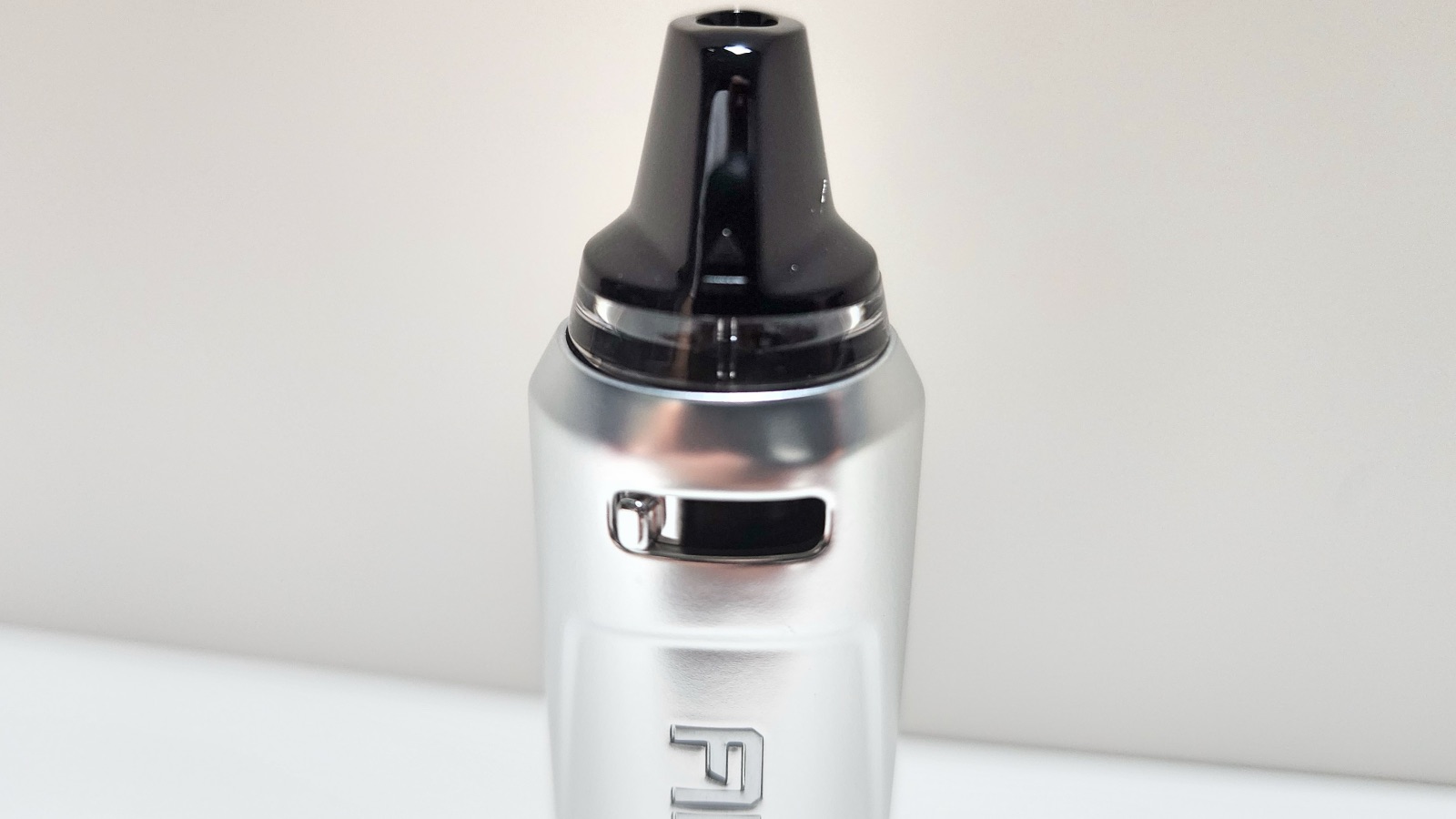
GeekVape says the Nano 3 has up to five times the airflow capacity, and it is airy. That works well for a loose MTL or restricted direct lung hit. But if you like a tight, cigarette-style MTL pull, you won’t get it here, and the slider won’t help.
Performance
When you insert a pod, the Nano 3 automatically sets a default wattage. The 0.6Ω pod defaults to 20 watts (range 20–25W), and the 1.2Ω pod defaults to 10 watts (range 9–14W). The device won’t let you go past the pod’s top wattage. I tried both pods at their max wattage, and they vape well there too, but the defaults worked so well that I ended up sticking with them. It’s one less thing to think about.
The flavor is good. I vaped Black Note tobacco e-liquids, and the flavors came through clean and clear. I’m very satisfied with it. The hits are good too, with good vapor production and a satisfying hit every time.
I used 50/50 VG/PG liquids. I’d expect higher-VG blends to work fine too, but 50/50 is what I tested.
I preferred the fire button over auto-draw. The button gives a good hit every time. Auto-draw has suction issues: if you don’t pull hard enough, it won’t fire at all, or it fires on and off through the hit.
Battery and Charging
The battery lasts a long time. After a day of light use, a few sessions, it had only dropped to 90%. GeekVape rates it at up to three days and says it charges to 80% in about 50 minutes over its 2A USB-C port.
Safety Features
The Nano 3 shows a warning on screen and stops firing if something’s wrong:
- Short Circuit: coil resistance below 0.08Ω
- No Pod Detected: no pod, or the device can’t read it (check the sticker)
- High Resistance: coil resistance above 2.2Ω
- Low Voltage: the battery is too low
- Overheat: the device is too hot
- Safety Mode: a single puff runs longer than 10 seconds. The device powers itself off.
What’s New vs. the Aegis Nano 2
I don’t have a Nano 2 to compare it to directly, but on paper the Nano 3:
- has a bigger battery (1600mAh vs. 1100mAh)
- has a bigger color screen (0.99-inch vs. 0.69-inch)
- adds auto-draw on top of the fire button
- uses the same N cartridges
- drops the Nano 2’s IP67 rating
Final Thoughts
The Aegis Nano 3 is a solid little pod system with a couple of frustrating misses. The flavor is clean, and the hits are satisfying. I love the size, too. It’s small, light, and comfortable, and the battery lasts a long time. The pods haven’t leaked, you get both resistances in the box, and the menu is about as simple as it gets. The default wattages work so well that you don’t really need to touch the settings.
The airflow slider is the biggest letdown. It doesn’t change the draw, so this is only a loose MTL/RDL device. I also expected the design to feel more premium for an Aegis, and auto-draw needs a firmer pull than I’d like, so I stuck with the button.
If you want a small pod with long battery life for a loose MTL or RDL vape, the Nano 3 is a good pick. If you want a tight, cigarette-style draw, look elsewhere.
The Aegis Nano 3 was sent to me for review from Sourcemore. Get it here and use code AN3K for a discount.
FAQs
What pods does the GeekVape Aegis Nano 3 use?
It uses GeekVape N cartridges in 0.6Ω and 1.2Ω, the same pods as the Aegis Nano 2. Each pod holds 2mL, and a 0.4Ω pod is listed as coming soon.
Is the Aegis Nano 3 MTL or RDL?
It’s best for a restricted direct lung or loose MTL draw. The 1.2Ω pod is labeled for MTL, but the draw stays wide open even with the airflow slider closed, so a tight, cigarette-style MTL hit isn’t possible.
Does the airflow adjustment work on the Aegis Nano 3?
Not in my testing. The slider moves, but the draw feels the same, wide open, at every position. Other reviewers have reported the same thing.
What wattage should I use on the Aegis Nano 3?
The device sets it for you when you insert a pod: 20W for the 0.6Ω and 10W for the 1.2Ω. You can raise it to 25W and 14W, but the defaults work well.
How long does the Aegis Nano 3 battery last?
A long time. After a day of light use, mine was still at 90%. GeekVape rates it at up to three days.
Is the Aegis Nano 3 waterproof?
No. It’s built to handle drops, but it has no IP rating. The Aegis Nano 2 was IP67.
Why won’t the Aegis Nano 3 fire when I draw on it?
Auto-draw needs a fairly strong pull. Draw harder, or use the fire button instead. The button gives a reliable hit every time.
Why does my Aegis Nano 3 say “No Pod Detected”?
On a new pod, the usual cause is the clear sticker on the bottom. Peel it off and reseat the pod. The Nano 3 only works with GeekVape N Cartridge pods.
Does the Aegis Nano 3 come with a charging cable?
No. You’ll need your own USB-C cable.
User Manual


Alex is a former smoker who successfully quit smoking after 14 years by switching to vaping. Now a pro-vaping advocate, Alex has become a seasoned expert with over a decade of experience in the vaping industry. Since starting his vaping journey in 2010, Alex has earned a reputation as a trusted reviewer, extensively testing all types of vape gear, including mech mods, sub-ohm tanks, RDAs, disposables, e-juices, boro devices, squonkers, dry herb vaporizers, and e-rigs. He’s also explored the craft of coil building and DIY e-juice.
Since 2015, Alex has published more than 800 in-depth articles on vaping, produced over 500 videos covering product reviews, industry news, and tips, contributed to several well-known vape publications, and hosted a popular vaping podcast featuring over 100 episodes and nearly 40 hours of content.